
The short version: if you’ve got decent internet at home, turn on Wi-Fi calling on your phone. It’s free, takes a minute, and solves coverage issues in most homes. If that’s not an option, or you need signal for people who aren’t on your Wi-Fi, an approved booster is the next choice.
Note: The cheap boosters sold on overseas websites (such as www.cellphoneboosters.co.nz) aren’t legal to use here.
It’s not just you. 3G is gone, with all networks being switched off for good earlier this year. In most rural areas, phones now run exclusively on 4G, and 4G doesn’t always reach the same spots that 3G did, especially inside houses tucked behind a hill or a shelter belt. A Federated Farmers survey this month found that a third of farmers have a spot on the farm that worked on 3G but no longer does. So if you used to get calls through in the kitchen but can’t anymore, that’s probably why.
We don’t operate the cell towers, so we can’t fix the coverage itself. What we can do is help get calls working reliably inside your home.
One quick check first: text 3G to 550. It tells you whether your phone is set up for 4G calling, including 111. Don’t ring 111 to test it.
Your phone sends calls and texts over your home internet instead of the mobile network. Same number, same phone, no install needed. When you leave Wi-Fi range, it switches back to the mobile network automatically (where coverage is available).
iPhone: Settings, then Phone, then Wi-Fi Calling. On some iOS versions, it’s under Mobile Data instead.
Android: Open the Phone app, tap the three dots, then Settings, and look for Wi-Fi calling. On some Samsung mobiles, it’s under Settings, then Connections.
If your phone asks for an emergency address, enter your real one.
A few things to know:
It works over WombatWireless X, WombatWireless 4G+, and WombatOptic, and over any other decent connection, including Starlink.
On 4G+? The modem, with an antenna mounted on the roof, can often reach a tower too far away for your phone to see from inside the home. Wi-Fi calling can then piggyback on that.
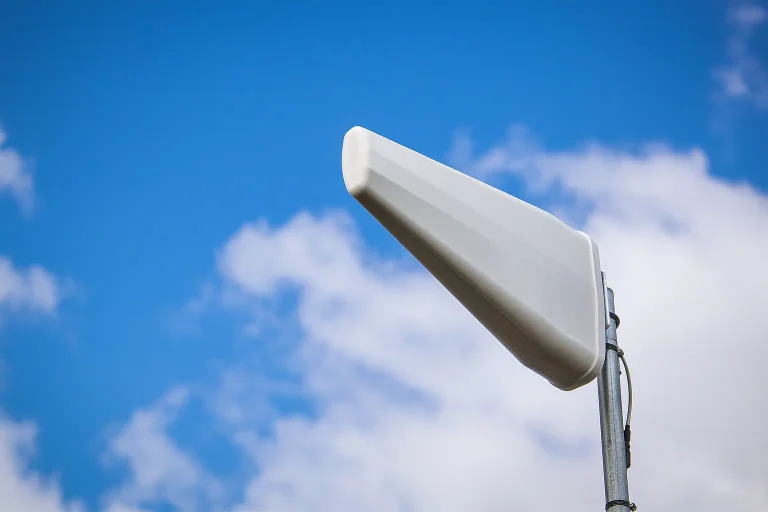
A cellular booster system uses an antenna on your roof or gable to capture a weak signal and repeat it inside. Every phone on that network gets proper bars, including visitors and workers, with no settings to change. Your phone thinks it’s connected directly to the cell tower.
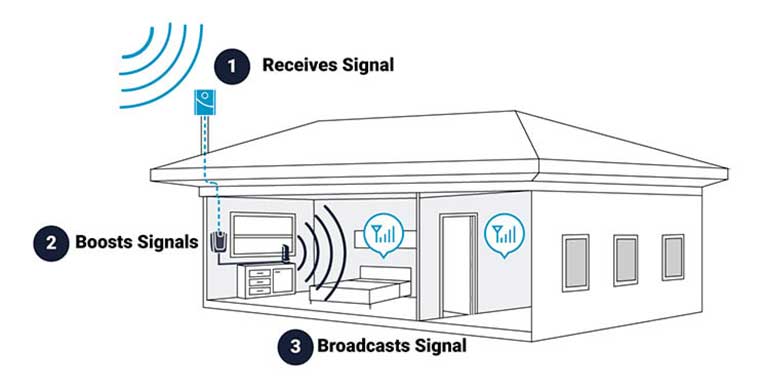
A booster earns its keep when you don’t have reliable internet yet, when staff or visitors need signal without logging into your Wi-Fi, when non-mobile phone hardware needs mobile signal, or when Wi-Fi calling isn’t cutting it for whatever reason.
Satellite texting as your main option at home. It’s a handy backup out on the farm, but it isn’t built to replace coverage at the house, and it does not work indoors.
Running the house off your phone’s hotspot. It drains and heats the phone, chews through data, and only works where the phone already has signal.
Good internet at home: Wi-Fi calling.
No good internet yet: sort that first, then Wi-Fi calling does the rest. We’ll tell you whether fixed wireless, 4G+ or fibre suits your address, or whether Starlink is the better bet.
Signal outside but not inside, or people who need to call without pre-connecting to your Wi-Fi: a booster.
Dead spots out in the paddocks: neither fixes that. Report it to your mobile provider. One NZ has a handy tool called One Pin to help you do this.
Give us a ring on 0800 424 281 or email [email protected]. Send your address and which network your phones are on. We’ll tell you what will work, and if we can’t get you the answer, we’ll put you in touch with someone who can.