
If you’ve had 4G internet for a few years, the antenna on your roof could be the reason your connection isn’t performing as well as it should. Here’s what you need to know – and what you can do about it.
Across rural and semi-rural New Zealand, thousands of homes still use a type of antenna called a Yagi – installed during the early days of the Rural Broadband Initiative (RBI) between 2011 and 2020. These were designed to improve 4G signal in areas with patchy coverage, and they did their job at the time.
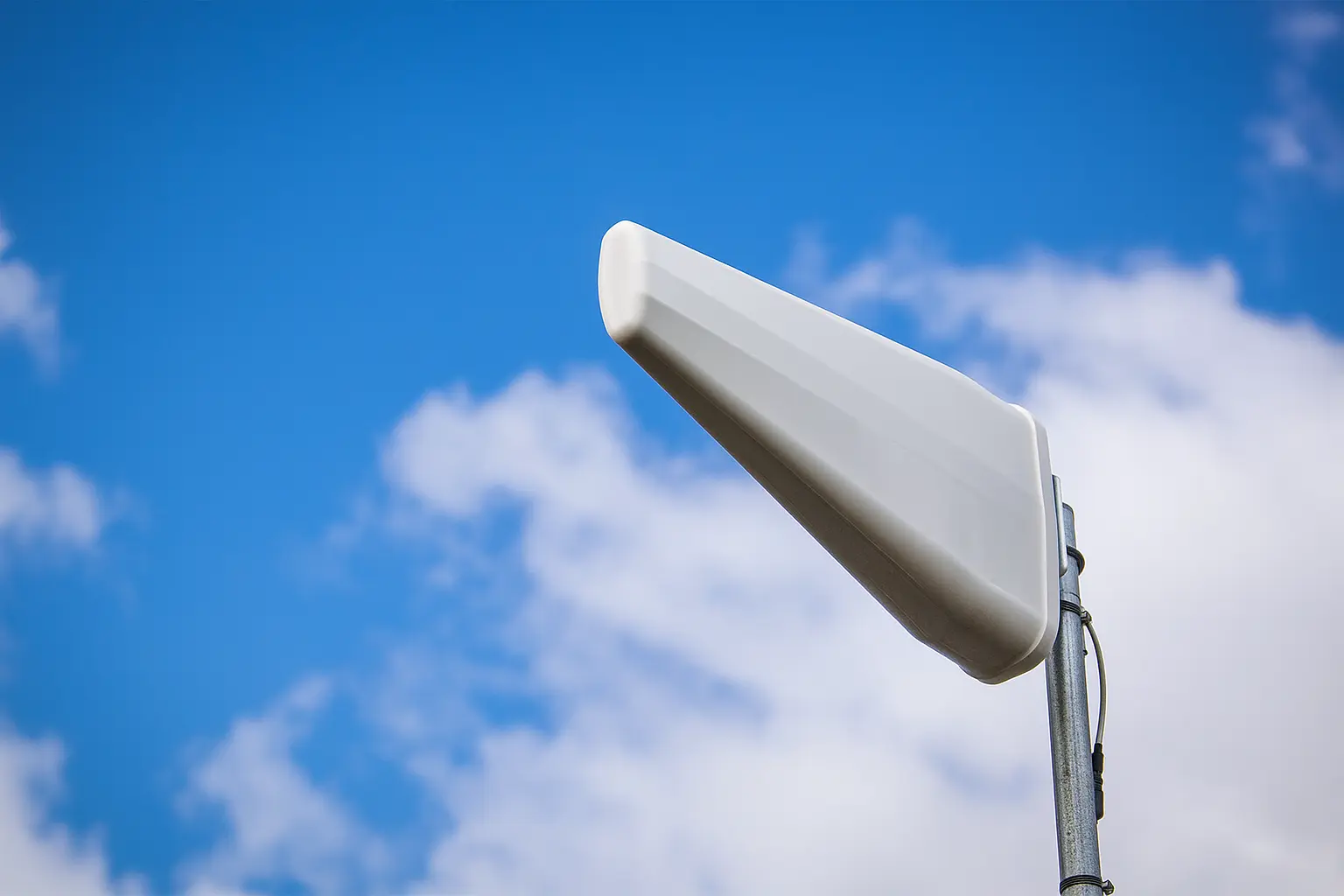
Yagi antennas look like long white triangles or rectangles mounted high on a pole or on the roof. While they technically still work, most people don’t realise these older antennas can actually limit your internet speed – especially with today’s newer mobile network technologies.
Still using a Yagi antenna? If your antenna looks like a long, thin bar or arrow shape on your roof, it’s likely a single-polarity Yagi – and it could be limiting your speeds. Read on to find out why.
Many people assume more signal bars = faster internet. That’s mostly true – but it’s only part of the picture.
Modern 4G and 5G networks use a technique called MIMO (Multiple Input, Multiple Output) to increase data throughput. Think of it like opening extra lanes on a motorway – more lanes mean more room for traffic to flow. But to use those extra lanes, your antenna needs to support them.
Most older single-polarity Yagi antennas, like the one pictured above, support only one data stream, even if the network could offer two or more. That means your modem is limited to just one lane – and can’t take full advantage of the speeds your provider (or tower) could deliver.
Every radio signal is transmitted in a particular orientation – usually vertical or horizontal. If your antenna is only designed to receive one of those (as many older Yagis are), your modem can pick up only half of what’s being broadcast.
Today’s dual-polarity antennas are designed to receive signals from both orientations (polarities) simultaneously, unlocking their full MIMO capability. This can mean:
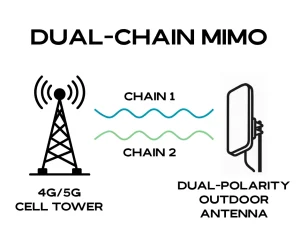
Switching to a correctly polarised antenna can unlock 20-100% more speed – without changing your plan. We’ve seen customers’ speeds increase substantially overnight simply by upgrading the antenna and modem setup.
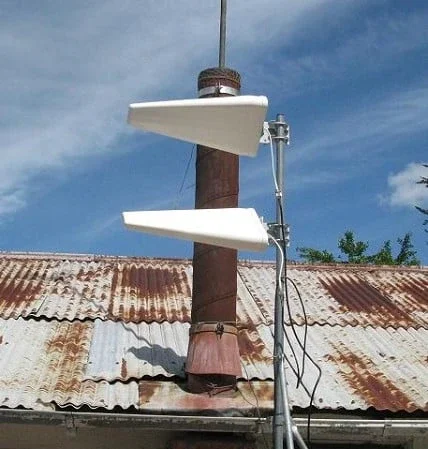
Technically, yes – and some people do. You can stack a second antenna at a 45-degree angle to achieve “dual-polarity.” But it’s not ideal. It’s fiddly and prone to misalignment, and you end up with more cables, more bulk, and often worse performance than a single purpose-built antenna.
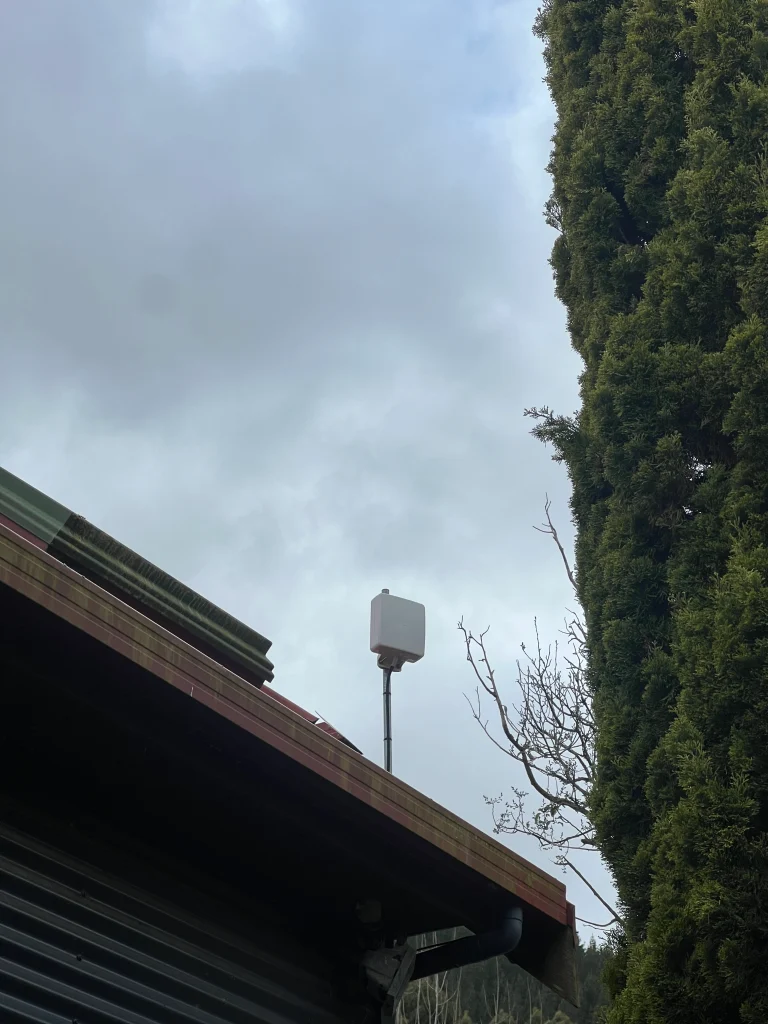
Today’s better solution is a compact, dual-polarity antenna that does the job properly – tidier setup, less visual intrusion, and better performance.
Sometimes the antenna on its own isn’t the issue – it’s the cabling.
Many setups run long coaxial cables to transfer the signal down from the roof to the 4G modem inside the house. Data travels through the cable as a radio-frequency (RF) signal, and the longer the run, the more signal you lose along the way. This is called cable signal loss or ‘leaking’. This loss accumulates, especially if the cable is older or of poorer quality, or was installed without high-quality connectors, shielding, or proper weatherproofing.
That’s why we often recommend:
Coax vs Ethernet cable length: Coaxial cable is best kept to a minimum (5–15m). Ethernet, on the other hand, can run 100m+ with no signal loss, making it far better suited to rural installs where the antenna needs to be high up or potentially even away from the house.
There’s no one-size-fits-all solution. You might be in full line of sight of a tower. You might be in a valley, behind a hill, or surrounded by native bush. Every property is different, and so are the optimal antenna types.
At WombatNET, we don’t sell off-the-shelf kits. We assess each location on its own merits, often using custom equipment, tools, and mounts to get the best results. Whether it’s 4G, 4G+, or 5G (where available), our goal is simple: to get you the best possible performance for what you pay.
The frustrating part? You may be on a plan that should deliver decent speeds, but your antenna or cabling is getting in the way.
We’ve seen customers paying $119–$179 per month for 4G service and only getting 5–10 Mbps. With the right antenna and setup, that can jump to 20, 50, or even 100+ Mbps in some areas.
“We switched from our old setup to a new antenna and modem from WombatNET and went from 12 Mbps to 70 Mbps overnight.” – Customer in Kaitoke, Upper Hutt
WombatNET specialises in rural and semi-rural broadband across the Wellington region – including Upper Hutt, Kāpiti, Whiteman’s Valley, Ōtaki, Wainuiomata Coast, Takapu Valley, and more.
If you’re unsure whether your current setup is holding you back, or if you want some advice, we’re happy to help. Even if you’re outside our installation area, we can usually point you in the right direction or suggest a better antenna type for your needs.
👉 Learn more about WombatWireless™ 4G+
📷 Contact us here or send us a photo of your current antenna setup via email. We’ll let you know if it’s time for an upgrade – no pressure, no jargon.